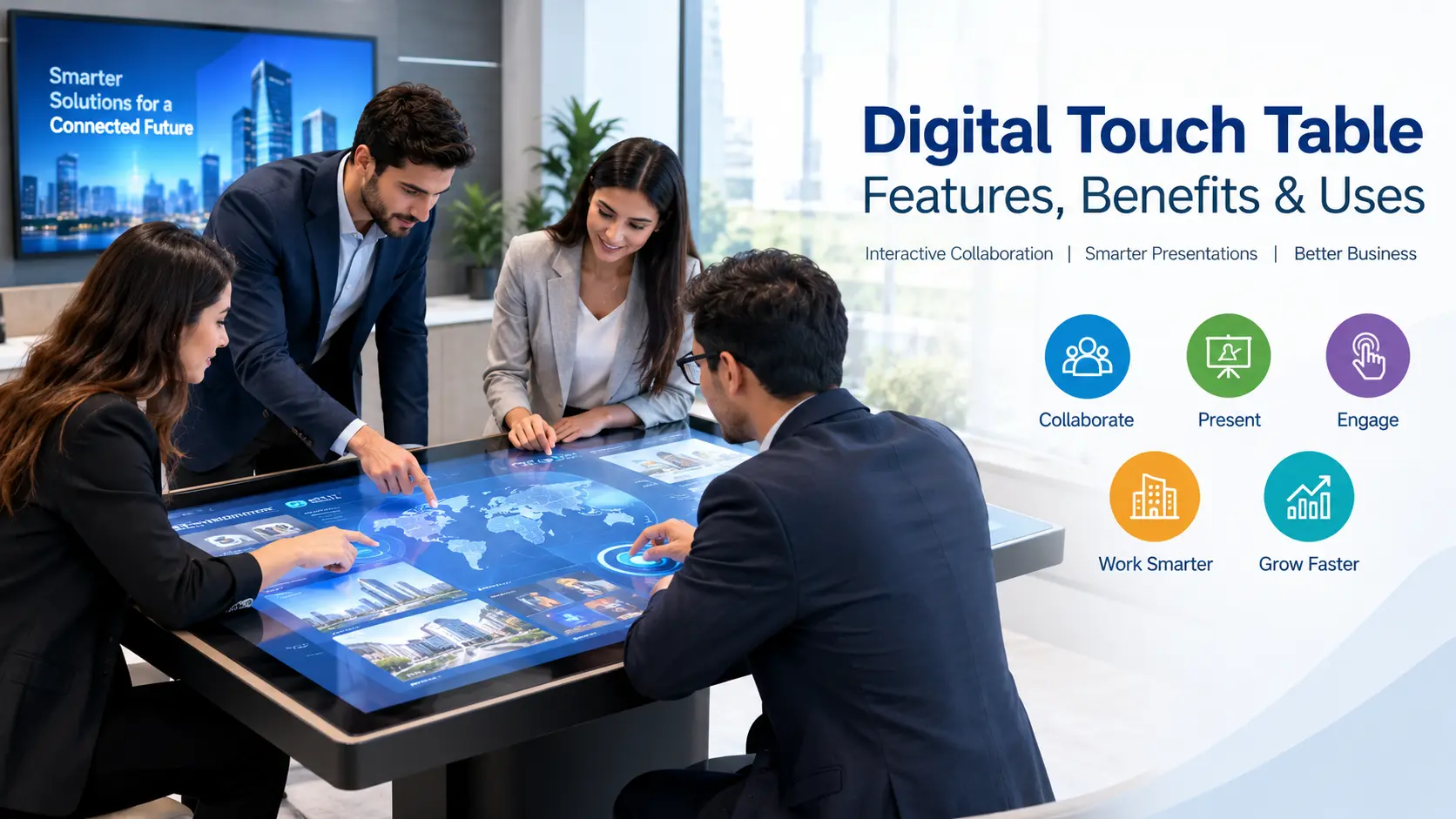
Digital technology is changing the way businesses communicate, collaborate and present information. Traditional tables are now being replaced by interactive digital solutions that combine touchscreen technology with smart display features. A digital touch table allows multiple users to interact with digital content directly on a large horizontal screen, making meetings, presentations and customer interactions more engaging.
From corporate offices and educational institutions to retail showrooms and exhibitions, a touch screen table offers a modern way to display information and encourage collaboration. These interactive solutions help businesses present products, share ideas and deliver an improved user experience.
In this guide, we will explore how digital tables work, their key features, business applications and the factors to consider when choosing the right model.
What Is a Digital Touch Table?
A digital touch table is an interactive display designed with a touchscreen interface that allows users to view, navigate and manipulate digital content using their fingers or compatible touch accessories. Unlike conventional tables, these systems integrate display technology and computing capabilities into a horizontal or angled surface.
A digital table can display presentations, images, videos, product catalogues, educational materials, maps and interactive applications. Users can tap, swipe, zoom and move objects across the screen, depending on the device’s hardware and software capabilities.
A touch table is particularly useful in environments where several people need to view or interact with the same information. It creates a shared digital workspace that supports collaboration, demonstrations and decision-making.
Also Read: Digital Signage in Automotive Retail: Trends, Benefits & Applications
Key Features of Touch Screen Tables
Modern touch screen tables combine display technology, interactive software and user-friendly controls. Their exact specifications depend on the model, screen size and intended application.
1. Interactive Touchscreen Technology
The touchscreen interface enables users to interact directly with the displayed content. Depending on the model, it may support multi-touch gestures, allowing multiple users to perform actions such as zooming, scrolling, drawing and moving objects simultaneously.
2. High-Quality Display
A large, high-resolution screen makes presentations, images, videos and product information easier to view. Display quality is an important consideration for businesses that use interactive tables for customer demonstrations, training sessions or professional meetings.
3. Multi-User Collaboration
Many interactive tables support multiple touch points, allowing team members or customers to engage with content together. This feature can make brainstorming, group discussions, product comparisons and collaborative learning more interactive.
4. User-Friendly Interface
An intuitive interface helps users access menus, applications and digital content without complicated instructions. Businesses can configure the interface around their specific requirements, depending on the available software and system compatibility.
5. Flexible Connectivity
Depending on the model, a touch screen table may support Wi-Fi, Bluetooth, USB, HDMI or other connectivity options. These connections can help users access external devices, share presentations and transfer content.
6. Durable and Professional Design
Interactive tables are designed for commercial, educational or institutional environments. Screen protection, frame construction, ventilation and overall build quality should be considered when selecting a unit for frequent use.
Benefits of Using a Digital Table for Business
Investing in a digital table can help organisations modernise their workspaces and create more engaging interactions.
Improved Collaboration
A touch table provides a shared surface where team members can explore information, discuss ideas and work on visual content together. It can support planning sessions, design reviews and interactive presentations.
Better Customer Engagement
Businesses can use a touch screen table to let customers explore product catalogues, compare specifications and access relevant information independently. This interactive approach can make product demonstrations more engaging than conventional printed materials.
Professional Presentations
A digital touch table adds an innovative element to corporate meetings, exhibitions, conferences and showrooms. It allows businesses to present multimedia content in an organised and interactive format.
Efficient Information Sharing
Digital content can be updated without repeatedly printing brochures, catalogues or presentation materials. When connected to a suitable content management system, information can be maintained more efficiently.
Versatile Usage
The same interactive display can support different activities, including presentations, training, product demonstrations and educational exercises. The available functions depend on the applications installed on the system.
Applications of Touch Screen Tables
Touch screen tables can be used across industries where interactive information sharing and visual communication are important.
1. Corporate Offices and Meeting Rooms
Companies can use interactive tables for brainstorming, project planning, presentations and collaborative discussions. Teams can review visual information together, helping make meetings more participative.
2. Retail Stores and Showrooms
Retail businesses can display product catalogues, product comparisons, specifications and promotional content. Customers can browse information independently, while sales teams can use the interface to support product demonstrations.
3. Educational Institutions
Schools, colleges and training centres can use interactive tables for group learning, visual exercises and collaborative activities. Teachers can incorporate digital learning materials into classroom sessions, subject to the applications available on the device.
4. Exhibitions and Trade Shows
At exhibitions, an interactive touch table can attract visitors and provide an engaging way to present company information, product portfolios and project details. It can also support interactive demonstrations during business events.
5. Hotels and Hospitality
Hotels, resorts and hospitality venues can use interactive tables to present service information, event details, menus, venue maps and local attractions. Their effectiveness depends on how the interface is configured for guests.
6. Museums and Experience Centres
Museums and experience centres can use touch screen tables to provide interactive maps, educational content, historical information and multimedia experiences. Visitors can explore content at their own pace.
Digital Touch Table vs Traditional Table
A traditional table provides a physical surface for meetings and activities, whereas a digital touch table combines that surface with an interactive display.
| Feature | Traditional Table | Digital Touch Table |
|---|---|---|
| Main purpose | Physical workspace | Interactive digital workspace |
| Content presentation | Printed documents and external screens | Digital content on the touch display |
| User interaction | Physical materials | Touch gestures and compatible applications |
| Collaboration | Face-to-face discussion | Face-to-face discussion with shared digital content |
| Content updates | Materials may need replacement | Digital content can be updated electronically |
| Best suited for | General everyday activities | Interactive meetings, demonstrations and learning |
The right choice depends on your objectives, budget, required features and the environment in which the table will be used.
How to Choose the Right Touch Screen Table
Before purchasing an interactive table, businesses should evaluate the following factors to ensure the product meets their requirements.
Screen Size and Resolution
Choose a screen size that suits the number of users and available installation space. Resolution should be appropriate for the type of content you plan to display, including text, diagrams, photographs and videos.
Touch Accuracy and Multi-Touch Support
Check the responsiveness of the touchscreen and the number of simultaneous touch points supported. Multi-user environments may require a display that can recognise several users interacting at the same time.
Operating System and Software
Confirm compatibility with the applications you need for presentations, collaboration, education or product demonstrations. Also check whether the system supports software updates and the integration of additional applications.
Connectivity Options
Review the available ports and wireless connectivity features. Compatibility with laptops, external storage devices, presentation systems and other equipment can improve usability.
Build Quality and Ergonomics
Consider the table’s dimensions, viewing angles, structural stability and surface protection. The design should suit the intended environment and provide comfortable access for users.
Technical Support and Maintenance
Ask about installation, warranty coverage, software support and maintenance services. Reliable technical assistance can help reduce interruptions and maintain consistent performance.
Budget and Total Cost
Compare the purchase price with the features, installation requirements, warranty and ongoing maintenance costs. The lowest-priced model may not be the most suitable option if it lacks essential functionality.
Why Choose STAIETECH LLP for Interactive Display Solutions?
Selecting the right interactive display partner is important for businesses planning to upgrade their presentation and collaboration facilities. STAIETECH LLP offers digital display and interactive technology solutions designed for different business and institutional requirements.
When evaluating a touch screen table solution, businesses should consider their intended application, screen size, interactive capabilities, connectivity and installation environment. Discussing these requirements with a display solutions provider can help identify a suitable configuration.
Whether you need an interactive display for a corporate meeting room, retail showroom, educational facility or exhibition, choose a solution that aligns with your operational needs and long-term plans.
Contact STAIETECH LLP to discuss your interactive display requirements and explore suitable options for your business.
Frequently Asked Questions
1. What is a digital touch table used for?
A digital touch table is used for interactive presentations, collaborative meetings, product demonstrations, digital learning and customer engagement. It allows users to interact directly with digital content on a touchscreen surface.
2. What is the difference between a digital table and a touch screen table?
The terms are often used interchangeably. A digital table generally refers to a table equipped with digital display features, while a touch screen table specifically highlights the ability to interact with the display through touch.
3. Can multiple users operate a touch table simultaneously?
Yes, many interactive tables support multi-touch functionality. The number of simultaneous users and touch points depends on the model and its hardware and software capabilities.
4. Are touch screen tables suitable for corporate offices?
Yes. Touch screen tables can support brainstorming, presentations, project planning and collaborative discussions in corporate offices, provided the selected model meets the organisation’s requirements.
5. How do I choose the best digital touch table?
Consider screen size, resolution, touch responsiveness, multi-touch support, operating system, connectivity, build quality, warranty and budget before making a purchase.
6. Where can businesses use interactive touch screen tables?
They can be used in corporate offices, retail stores, showrooms, educational institutions, hotels, museums, experience centres and exhibitions.
Conclusion
A digital touch table is a practical option for organisations looking to improve collaboration, modernise presentations and create interactive customer experiences. With features such as touchscreen navigation, multi-user interaction and multimedia content support, these systems can serve a wide range of commercial and institutional applications.
Before investing in a touch screen table, evaluate the display specifications, software compatibility, connectivity, durability and support options. Choosing the right digital table can help your organisation create a more engaging and efficient environment for communication, learning and business presentations.
Explore interactive display solutions from STAIETECH LLP to find an option that matches your business objectives.